
WPCraftEngineer Product Finder for WooCommerce: Help Customers Discover the Right Products with Smart Shopping Assistance
Recent Posts
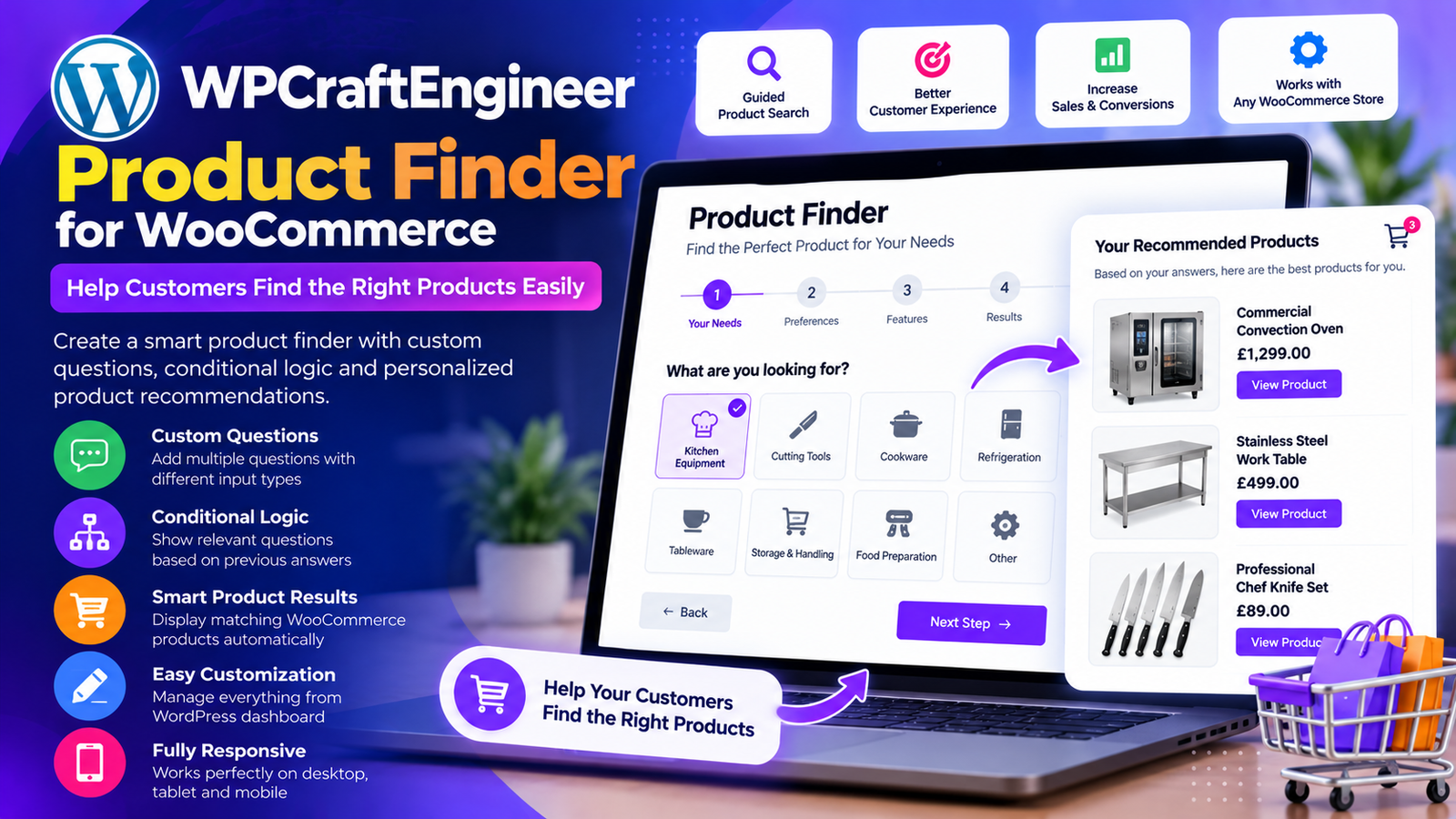
Finding the right product should be one of the easiest parts of online shopping. However, customers often face a common challenge: too many products, complicated navigation, and difficulty identifying items that match their needs.
Imagine a shopper visiting an online store and asking:
“Can you show me running shoes under $100?”
Instead of manually browsing categories and applying multiple filters, the shopper could simply ask a question and receive relevant product suggestions.
This is the shopping experience that WPCraftEngineer Product Finder for WooCommerce is designed to support.
Developed by WP Craft Engineer, this WordPress plugin introduces a floating shopping assistant that helps customers discover products through natural language conversations.
With keyword-based matching, optional AI integrations, and WooCommerce product recommendations, the plugin provides a convenient way to improve product discovery.
In this guide, we’ll explore its main features, practical applications, installation process, and benefits for online retailers.
What Is WPCraftEngineer Product Finder for WooCommerce?
WPCraftEngineer Product Finder for WooCommerce is a WordPress plugin that adds an interactive floating chat widget to your website.
The widget allows visitors to describe what they’re looking for and receive relevant assistance.
When WooCommerce product recommendations are enabled, the plugin can use store product data to suggest matching items.
The plugin offers two operating modes:
Keyword Mode
Uses on-site keyword matching and WooCommerce product information without requiring an external AI account.
AI Provider Mode
Connects to supported AI services to improve intent detection and conversational responses.
The supported providers include OpenAI, Google Gemini, and Anthropic.
This flexibility allows businesses to start with a simple product discovery solution and optionally introduce AI-powered functionality.
Why Product Discovery Matters for WooCommerce Stores
An online store can offer excellent products and competitive prices, but customers still need an easy way to find relevant items.
Traditional product navigation usually involves browsing categories, using filters, and entering search terms.
These methods are useful, but they may not fully address customers who prefer describing their requirements in everyday language.
For example, a shopper may know that they need a gift for a runner but may not know which product category to explore.
A conversational product finder offers another way to discover relevant items.
1. Make Product Searching More Convenient
Customers can describe their needs instead of relying entirely on category navigation.
For example:
“I need a gift for someone who enjoys cooking.”
The product finder can help identify relevant items based on available WooCommerce product data.
2. Help Customers Explore Your Catalogue
A conversational interface can introduce shoppers to products they might otherwise overlook.
This is particularly useful for stores with large or varied catalogues.
3. Support Customers with Different Shopping Goals
Some shoppers search by price, others by product type, and some by occasion.
The plugin provides a flexible interface for submitting these requests.
4. Create a More Interactive Shopping Experience
A floating chat widget gives customers an additional way to interact with your store without navigating away from the current page.
5. Reduce Product Discovery Friction
When customers can find relevant items more easily, they may spend less time searching through unrelated products.
This can support a smoother shopping experience, although actual conversion improvements depend on the store and its customers.
Key Features of WPCraftEngineer Product Finder for WooCommerce
1. Floating Product Finder Chat Widget
The plugin adds a floating chat widget to the frontend of your WordPress website.
Visitors can open the assistant and enter questions about products or general store information.
For example, customers might ask:
- “Show me products under $50.”
- “I need a gift for a runner.”
- “What are your newest arrivals?”
- “Do you have anything on sale?”
The assistant processes these requests according to the configured mode and available product data.
This makes the widget useful for customers who prefer conversational shopping.
2. Keyword-Based Product Search Without an API Key
One of the plugin’s most practical features is its keyword mode.
Unlike solutions that require a paid AI service for every interaction, keyword mode works using on-site matching and WooCommerce product information.
This means website owners can use the product finder without connecting an external AI account.
For example, a customer might ask:
“Show me black shoes.”
The plugin can use keyword matching to identify relevant products from the WooCommerce catalogue.
Keyword mode provides a straightforward starting point for businesses that want conversational product discovery without external AI API costs.
3. Optional AI-Powered Shopping Assistance
For businesses that want more advanced conversational functionality, the plugin supports external AI providers.
Administrators can choose from:
OpenAI
Supports AI-assisted intent interpretation and response generation.
Google Gemini
Provides another option for understanding customer questions and generating responses.
Anthropic
Offers conversational AI capabilities through its supported models.
These integrations can help the assistant interpret more complex customer requests.
For example:
“I’m looking for an affordable birthday gift for someone who loves fitness.”
AI-assisted interpretation can help identify the intent behind the request and support a more natural response.
The effectiveness of recommendations still depends on the available product information and configured settings.
4. WooCommerce Product Recommendations
When WooCommerce recommendations are enabled, the assistant can display matching products from the store.
This feature connects the chat experience with the existing WooCommerce catalogue.
Rather than providing only text-based responses, the widget can present relevant product cards.
Customers can review suggestions and open product pages to learn more.
This helps bridge the gap between asking a shopping question and exploring an actual product.
5. Detailed Product Recommendation Cards
The plugin supports product cards that display useful shopping information.
These cards can include:
- Product image.
- Product price.
- Product rating.
- Stock availability.
- Product page link.
For example, if a customer asks for kitchen equipment, the assistant may display matching products with images and prices.
Providing this information directly within the recommendation interface helps customers compare available options.
6. Option to Hide Out-of-Stock Products
Showing unavailable products can create frustration.
WPCraftEngineer Product Finder includes an option to hide out-of-stock products from recommendations.
When enabled, this setting helps focus suggestions on products that are currently available.
This can be particularly useful for stores with frequently changing inventory.
7. Customizable Chatbot Appearance
Every online store has its own branding.
The plugin provides administrative settings for customizing the shopping assistant.
Available options include:
Widget Color
Adjust the widget’s appearance to better match your website design.
Bot Name
Choose a suitable name for the shopping assistant.
Greeting Message
Configure the introductory message visitors see when opening the widget.
Chat History Retention
Control how long short conversation history is retained.
These options allow businesses to create a more consistent customer experience.
8. General Store Assistant Mode
WooCommerce product recommendations are optional.
If recommendations are disabled, the floating widget can still function as a general store assistant.
Administrators can configure:
- Welcome messages.
- Fallback messages.
- Custom assistant instructions.
This provides flexibility for websites that want conversational assistance without displaying product recommendations.
WooCommerce itself is optional for this general assistant functionality.
9. Chat History for Follow-Up Questions
Shopping conversations often involve more than one question.
A customer might first ask for running shoes and then request a cheaper option.
The plugin stores short chat history using WordPress transients for a configurable number of days.
This helps the assistant maintain limited conversational context for follow-up interactions.
10. Admin Preview and Testing
Before launching a customer-facing feature, website owners should verify that it works correctly.
WPCraftEngineer Product Finder includes an admin preview and test screen.
Administrators can use this interface to check the assistant’s behavior and configuration.
Testing helps identify issues before visitors begin using the widget on a live store.
How Does WPCraftEngineer Product Finder Work?
The plugin follows a straightforward conversational workflow.
Step 1: A Customer Opens the Shopping Assistant
A visitor clicks the floating chat widget on the website.
Step 2: The Customer Enters a Question
For example:
“I’m looking for products under $50.”
Step 3: The Plugin Processes the Request
In keyword mode, the plugin uses on-site matching.
In AI provider mode, it can use the configured AI service for intent interpretation and response generation.
Step 4: Relevant Products Are Identified
When WooCommerce recommendations are enabled, the plugin uses available store data to identify matching items.
Step 5: Product Recommendations Appear
The assistant can display product cards containing images, prices, ratings, availability, and product links.
Step 6: The Customer Explores Products
The shopper can open a suggested product page and continue through the normal WooCommerce purchasing process.
This creates an additional route from product discovery to product exploration.
Practical Example: Product Finder for a Kitchen Equipment Store
Imagine a WooCommerce store selling commercial kitchen equipment.
Its catalogue includes:
- Commercial ovens.
- Stainless steel worktables.
- Professional chef knives.
- Refrigeration equipment.
- Food preparation tools.
- Cookware and accessories.
A customer visits the store looking for equipment but does not know which category to browse.
The customer opens the Product Finder and asks:
“Do you have stainless steel worktables?”
The assistant searches the available WooCommerce product information and can display relevant items.
The customer then asks:
“Do you have any cheaper options?”
With supported conversation context and the configured search mode, the assistant can attempt to interpret the follow-up request and provide additional suggestions.
The customer can review product cards and open the relevant product pages.
This approach makes it easier for shoppers to explore a large catalogue using familiar language.
Who Should Use WPCraftEngineer Product Finder?
Fashion and Clothing Stores
Help shoppers discover clothing, footwear, and accessories using conversational requests.
Electronics Stores
Allow visitors to search for devices and accessories based on product names, features, or budgets.
Kitchen Equipment Suppliers
Support customers looking for commercial equipment, cookware, and preparation tools.
Home and Furniture Stores
Help shoppers explore furniture, home accessories, and other household products.
Sports and Fitness Stores
Assist customers searching for equipment, clothing, and gifts related to fitness activities.
Beauty and Personal Care Stores
Provide another way for customers to discover relevant products from available catalogue information.
General WooCommerce Marketplaces
Make large product catalogues more approachable through conversational product search.
Keyword Mode vs. AI Provider Mode
| Feature | Keyword Mode | AI Provider Mode |
|---|---|---|
| External API key | Not required | Required |
| Product matching | On-site keyword matching | AI-assisted intent interpretation with store matching |
| Conversational responses | Basic | AI-generated |
| External AI API charges | None | Provider charges may apply |
| WooCommerce recommendations | Supported | Supported |
| Best suited for | Simple product discovery | More conversational shopping assistance |
Both modes offer useful functionality.
Keyword mode is a practical starting point for businesses that want to avoid external AI costs.
AI provider mode is suitable for stores that want to experiment with more natural conversational interactions.
How to Install WPCraftEngineer Product Finder for WooCommerce
Setting up the plugin follows the standard WordPress installation process.
Step 1: Install the Plugin
Log in to your WordPress dashboard.
Navigate to:
Plugins → Add New Plugin
Search for:
WPCraftEngineer Product Finder for WooCommerce
Install and activate the plugin.
Alternatively, download the plugin ZIP from WordPress.org and upload it manually.
Step 2: Open Product Finder Settings
Navigate to:
Product Finder
in the WordPress administration menu.
Step 3: Enable the Chatbot
Turn on the frontend chat widget.
Step 4: Configure Product Recommendations
Decide whether you want the assistant to recommend WooCommerce products.
If enabled, WooCommerce must be installed and active.
Step 5: Choose the Operating Mode
Select keyword mode or an AI provider.
Step 6: Configure AI Credentials if Needed
If using OpenAI, Google Gemini, or Anthropic, enter the required API credentials.
Step 7: Customize the Widget
Configure the bot name, greeting message, colors, and chat history retention.
Step 8: Configure Stock Visibility
Choose whether out-of-stock products should appear in recommendations.
Step 9: Preview and Test
Use the admin testing interface to verify the configuration.
Step 10: Test on the Frontend
Visit your website and submit realistic shopping questions.
Review the suggested products and confirm that product links work correctly.
Benefits of a Conversational WooCommerce Product Finder
More Convenient Product Discovery
Customers can describe their requirements instead of relying only on category navigation.
Additional Product Visibility
Relevant product suggestions may help visitors discover items they would otherwise overlook.
Flexible Implementation
Businesses can choose between a keyword-based mode and optional AI-powered assistance.
Easier Customer Interaction
The floating chat widget provides an accessible way for visitors to ask product-related questions.
Better Catalogue Exploration
Product cards allow customers to review useful information before opening individual product pages.
Brand Customization
Administrators can adjust the widget’s appearance and messaging to suit their website.
Potential Conversion Support
Helping customers locate relevant products may support purchasing decisions, although improved sales are not guaranteed.
Privacy and Data Considerations
WPCraftEngineer Product Finder supports optional external AI integrations.
When an administrator enables an AI provider, relevant information may be sent to that provider.
This can include:
- Visitor chat messages.
- Limited recent conversation context.
- Store assistant instructions.
- Short summaries of matched products when recommendations are enabled.
External requests occur when the configured AI service is used for chat processing or an administrator runs a connection test.
In keyword mode, an external AI account is not required.
The plugin stores settings in the WordPress options table and short chat history in transients.
Website owners should review applicable privacy requirements and the policies of their chosen AI provider before enabling external integrations.
Customers should also be discouraged from entering unnecessary personal or sensitive information into shopping conversations.
Best Practices for Getting Better Product Recommendations
Maintain Accurate Product Titles
Clear product names make catalogue matching more useful.
Write Informative Product Descriptions
Include relevant product characteristics, specifications, and intended uses.
Keep Product Prices Updated
Accurate pricing information is important when customers search by budget.
Maintain Stock Information
Use the option to hide out-of-stock products when appropriate.
Test Real Customer Questions
Try searches based on budgets, product types, occasions, and common shopping requirements.
Customize the Greeting Message
Introduce the assistant with a message that explains how customers can use it.
Monitor External API Costs
If using an AI provider, review usage and pricing regularly.
Review Recommendations
Check that suggested products are relevant and that product links lead to the correct pages.
Frequently Asked Questions
What is WPCraftEngineer Product Finder for WooCommerce?
It is a WordPress plugin that adds a floating chat assistant for conversational product discovery and optional WooCommerce recommendations.
Does the plugin require an AI API key?
No. Keyword mode works without an external AI provider.
Which AI providers are supported?
The plugin supports OpenAI, Google Gemini, and Anthropic.
Does the plugin require WooCommerce?
Not for its general chat assistant functionality. WooCommerce is required for product recommendations.
Can the plugin recommend products based on customer questions?
Yes. When recommendations are enabled, the assistant can suggest matching WooCommerce products.
Can customers search by price?
The plugin supports conversational requests such as “Show me products under $50,” using available product data and its configured search mode.
Can I hide out-of-stock products?
Yes. The plugin provides an option to exclude out-of-stock items from recommendations.
Does the plugin display product images and prices?
Yes. Recommendation cards can include images, prices, ratings, stock status, and product links.
Can I customize the chatbot?
Yes. Administrators can configure the bot name, greeting message, colors, and chat history retention.
Does the plugin support follow-up questions?
Yes. It stores short conversation history for a configurable period to support follow-up interactions.
Does it provide a multi-step product quiz?
No. The documented interface is a conversational chat widget rather than a configurable multi-step quiz builder.
Can I test the chatbot before using it publicly?
Yes. The plugin includes an admin preview and testing screen.
Why Choose WPCraftEngineer Product Finder for WooCommerce?
Online retailers need practical tools that help customers discover relevant products.
WPCraftEngineer Product Finder offers several useful capabilities in one WordPress plugin.
Its main advantages include:
- Floating frontend shopping assistant.
- Natural language product enquiries.
- Keyword mode without an external AI API key.
- Optional OpenAI, Gemini, and Anthropic integrations.
- WooCommerce product recommendations.
- Product cards with images, prices, ratings, and stock information.
- Out-of-stock product filtering.
- Customizable chatbot appearance.
- Configurable conversation history retention.
- Admin preview and testing functionality.
- Optional general store assistant mode.
These features make it a practical option for WooCommerce stores exploring conversational product discovery.
Final Thoughts
A successful online store should make it easy for customers to find relevant products.
Traditional navigation menus, search bars, and product filters remain important, but conversational shopping assistance offers an additional way to explore a catalogue.
WPCraftEngineer Product Finder for WooCommerce introduces this functionality through a floating chat widget that supports keyword-based matching and optional AI-powered interactions.
By combining WooCommerce product data with natural language enquiries, the plugin helps visitors explore relevant products without relying entirely on manual browsing.
Its flexible operating modes, customizable appearance, product recommendation cards, and admin testing tools make it suitable for a wide range of online stores.
Whether you sell fashion, electronics, kitchen equipment, furniture, or other products, WPCraftEngineer Product Finder can provide another way for customers to discover what your store offers.
Ready to make product discovery easier for your customers?
Explore WPCraftEngineer Product Finder for WooCommerce and add a conversational shopping assistant to your WordPress website.
Download Plugin: https://wordpress.org/plugins/wpcraftengineer-product-finder-for-woocommerce/
Developed By: WP Craft Engineer