
Craftengineer SmartCommerce AI – WooCommerce AI Shopping Assistant
Recent Posts
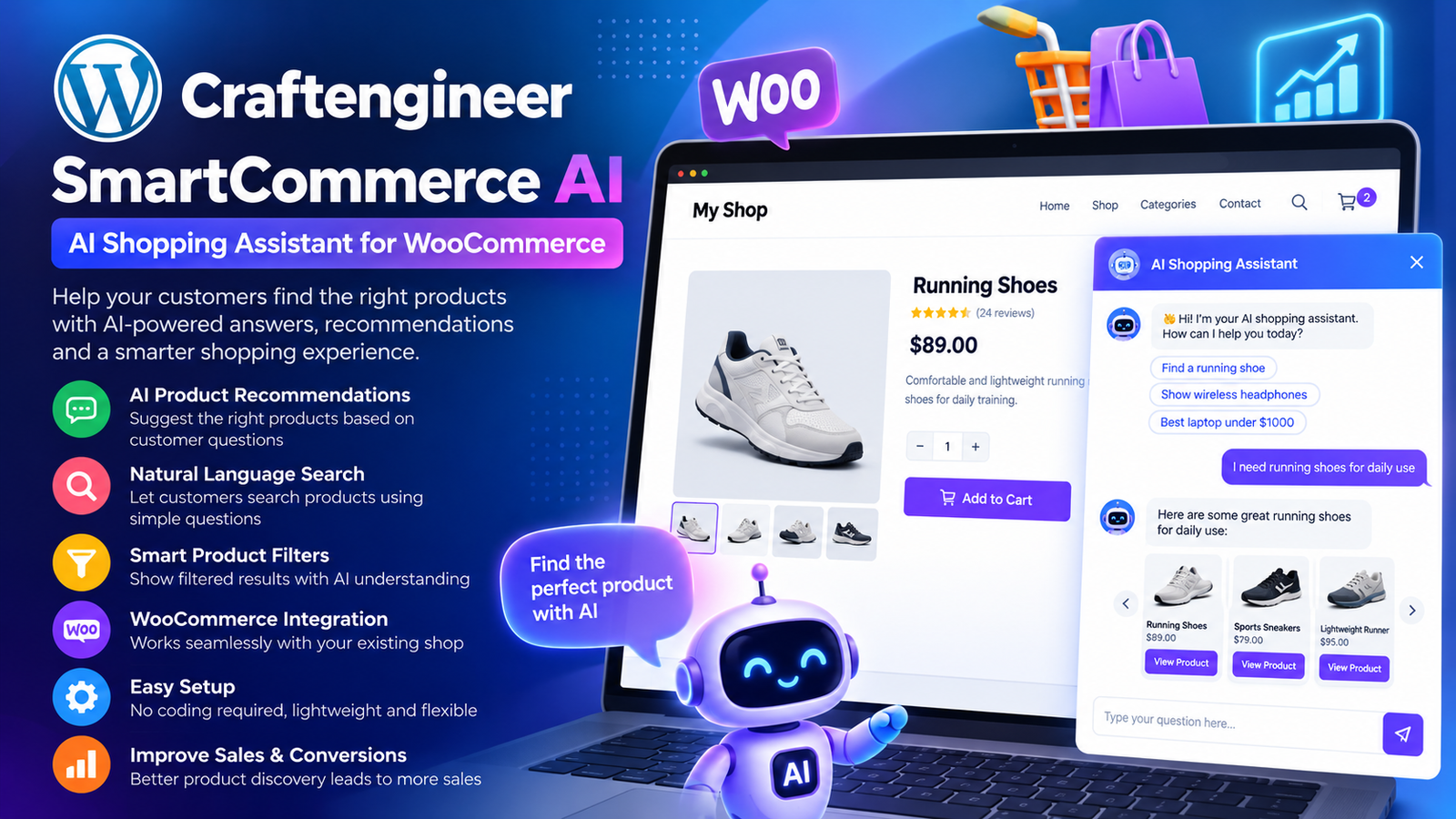
Craftengineer SmartCommerce AI: An All-in-One AI Toolkit for WordPress and WooCommerce
Managing a WordPress website or WooCommerce store involves much more than publishing content and adding products. From writing engaging descriptions and improving SEO to helping customers find relevant products, website owners often spend hours completing repetitive tasks.
Artificial intelligence is changing how these everyday operations can be handled.
Craftengineer SmartCommerce AI brings practical AI-powered tools directly into the WordPress environment, helping website owners, online retailers, developers, and content creators streamline their workflows.
Developed by WP Craft Engineer, this plugin combines AI content generation, a frontend chatbot, WooCommerce product recommendations, SEO assistance, and custom content management into a single WordPress solution.
In this guide, we’ll explore its features, practical applications, and how it can support a more efficient WordPress website.
What Is Craftengineer SmartCommerce AI?
Craftengineer SmartCommerce AI is a multifunctional WordPress plugin designed to simplify content creation, customer interactions, and website management using artificial intelligence.
Instead of relying on separate tools for different tasks, website administrators can access several useful features from one plugin.
Its main capabilities include:
- AI-powered content generation for WordPress posts, pages, and WooCommerce products.
- A frontend AI chatbot for answering visitor questions.
- WooCommerce product recommendation blocks.
- SEO assistance for content optimization.
- A custom post type builder with shortcode support.
- Centralized settings for AI provider configuration.
The plugin supports OpenAI and Google Gemini, giving website owners flexibility when configuring their AI-powered workflows.
Although the plugin includes WooCommerce-specific features, WooCommerce is optional for its general WordPress functionality.
Why WordPress Websites Need Smarter AI Tools
Running a successful website requires consistent effort.
Bloggers need to produce informative content. Online stores must maintain accurate product descriptions. Business websites need to answer visitor questions, while developers often build custom content structures for different projects.
These activities are important, but many involve repetitive work.
AI-assisted tools can help reduce the time spent preparing first drafts, organizing information, and responding to common questions.
The goal is not to eliminate human involvement. Instead, AI can support website teams by handling initial tasks while administrators retain control over the final output.
Craftengineer SmartCommerce AI follows this approach by offering several tools within the familiar WordPress dashboard.
Key Features of Craftengineer SmartCommerce AI
1. AI Content Generator for WordPress
Creating consistent website content can be challenging, particularly when managing numerous pages or products.
The AI Content Generator helps administrators prepare draft content for WordPress publishing workflows.
It can assist with:
- Blog post drafts and content ideas.
- WordPress page content.
- WooCommerce product descriptions.
- Rewriting existing content.
- Preparing initial copy for product collections.
For example, imagine adding 50 products to an online store.
Writing descriptions individually may require considerable time. AI-assisted drafting can help create starting content that administrators can review, personalize, and improve before publishing.
This approach can make content preparation more efficient without sacrificing editorial control.
2. Frontend AI Chatbot for Website Visitors
Visitors often have questions before making a purchase or contacting a business.
They might want to understand available products, explore website information, or locate relevant content.
Craftengineer SmartCommerce AI includes a frontend chatbot interface designed to support these interactions.
The chatbot can assist with general website questions and product-related conversations.
For WooCommerce stores, this provides an additional way for visitors to explore the website.
For business websites, it can serve as a convenient interface for basic visitor enquiries.
The quality and accuracy of AI-generated responses depend on the configured provider, available information, and the questions being asked.
3. WooCommerce Product Recommendations
Product discovery plays an important role in the online shopping experience.
Customers may arrive at a store looking for a particular item but remain unaware of other relevant products.
Craftengineer SmartCommerce AI provides WooCommerce recommendation blocks that can be displayed in selected areas of a website.
These blocks can help store owners showcase related or highlighted products.
Potential placement areas include:
- WooCommerce store pages.
- Landing pages.
- Promotional content sections.
- Relevant website content areas.
For example, a sports equipment store might highlight additional accessories alongside featured products.
Recommendation blocks offer a practical way to introduce shoppers to more of the store’s catalogue.
The plugin also provides a shortcode for inserting recommendation areas into supported content locations.
4. SEO Helper Tools for Content Optimization
Search engine optimization is an ongoing responsibility for website publishers.
Creating content is only one part of the process. Website owners also need to consider relevance, readability, content organization, and useful information.
Craftengineer SmartCommerce AI includes basic SEO-oriented assistance to support content preparation and optimization workflows.
These tools can help administrators approach content improvements more efficiently.
However, AI-generated suggestions should be reviewed carefully.
Successful SEO also depends on technical website quality, search intent, internal linking, originality, and other factors beyond any single plugin.
The SEO helper should be considered a supporting tool rather than a guarantee of higher search rankings.
5. Custom Post Type Builder
WordPress is not limited to standard posts and pages.
Many websites need additional content types to organize information.
For example, a business might want to manage portfolios, projects, or other structured content separately from regular blog posts.
Craftengineer SmartCommerce AI includes a Custom Post Type (CPT) Builder that allows administrators to configure custom content types.
It also supports frontend display through shortcodes.
For example:
[wceai_cpt_list type="portfolio"]
A grid-style layout can be configured using:
[wceai_cpt_list type="portfolio" posts="6" layout="grid" columns="3"]
This functionality can be useful for developers, agencies, and website owners who need reusable content sections without creating a separate custom solution for every project.
6. Centralized AI Provider Settings
AI-powered features typically require communication with an external AI service.
Craftengineer SmartCommerce AI provides centralized configuration settings for supported providers.
The plugin supports:
OpenAI
An AI service that can generate content and conversational responses based on submitted prompts and context.
Google Gemini
Google’s AI platform, which can also support content generation and chatbot interactions.
Administrators can select a supported provider and configure the relevant API credentials through the plugin settings.
Because external AI services may charge for API usage, website owners should review their provider’s pricing before enabling features.
7. Modular Functionality
Not every WordPress website requires every AI feature.
A blog might primarily need content generation and SEO assistance.
An online store might focus on product recommendations and customer-facing chat.
A development agency might find the custom post type builder particularly useful.
Craftengineer SmartCommerce AI supports modular usage, allowing administrators to focus on the features that suit their requirements.
This flexibility makes the plugin relevant to different types of WordPress projects.
How Craftengineer SmartCommerce AI Works
The plugin combines WordPress administration tools with optional AI-powered services.
A typical workflow looks like this:
Step 1: Install and Activate
Install the plugin from the official WordPress Plugin Directory and activate it.
Step 2: Configure an AI Provider
Open CraftEngineer SmartCommerce AI in the WordPress admin menu.
Choose OpenAI or Google Gemini and enter the appropriate API credentials.
Step 3: Select Your Features
Configure the modules you want to use, such as content generation, chatbot functionality, or recommendations.
Step 4: Add Website Elements
Use the available shortcodes to display supported recommendation blocks or custom post type content.
Step 5: Review and Test
Test the enabled features on your website.
Review generated content before publishing and verify that chatbot responses are appropriate for your business.
Practical Use Case: An Online Fashion Store
Consider an online clothing retailer managing a WooCommerce website.
The store regularly introduces new products, publishes seasonal content, and receives questions from potential customers.
Without additional tools, its team may need to write every product description, maintain promotional content, and respond to common enquiries manually.
Craftengineer SmartCommerce AI could support several parts of this workflow.
Product Content Creation
The store administrator uses AI-assisted content generation to prepare initial descriptions for new clothing collections.
Customer Assistance
A frontend chatbot helps visitors ask questions about the website and explore product-related information.
Product Discovery
Recommendation blocks highlight additional items in selected areas of the store.
Content Optimization
SEO helper tools support the preparation of more structured product and editorial content.
Website Management
The team can manage supported custom content sections through the CPT Builder.
These features can reduce repetitive preparation work and provide additional ways for customers to interact with the website.
Benefits for Different WordPress Users
For WooCommerce Store Owners
The plugin offers tools to assist with product descriptions, recommendations, and customer-facing conversations.
It can help administrators spend less time preparing repetitive content and more time improving their store.
For Bloggers and Content Creators
AI-assisted writing tools can support brainstorming, drafting, and rewriting tasks.
SEO helper features can also complement an existing content publishing workflow.
For WordPress Developers
The CPT Builder and shortcode functionality provide additional options for organizing and displaying website content.
For Digital Agencies
Agencies managing multiple WordPress projects can benefit from having content, chatbot, and website management tools available within one plugin.
For Small Businesses
Businesses can use the frontend chatbot to provide an additional way for visitors to ask questions while using content tools to maintain their websites.
Craftengineer SmartCommerce AI vs. Traditional WordPress Workflows
| Website Task | Traditional Approach | With SmartCommerce AI |
|---|---|---|
| Blog content | Write each first draft manually | Generate AI-assisted drafts for review |
| Product descriptions | Prepare individual descriptions | Use AI to assist with initial copy |
| Visitor questions | Rely on static pages or contact forms | Offer a frontend AI chatbot |
| Product discovery | Manually place featured products | Display recommendation blocks |
| Content optimization | Perform all editorial checks manually | Use basic AI-assisted SEO helpers |
| Custom content | Configure separate development solutions | Use the built-in CPT Builder for supported requirements |
The plugin does not replace professional content review, customer service, or a comprehensive SEO strategy. Instead, it adds useful capabilities to existing WordPress workflows.
How to Install Craftengineer SmartCommerce AI
Installation follows the standard WordPress plugin process.
- Log in to your WordPress administration dashboard.
- Navigate to Plugins → Add New Plugin.
- Search for CraftEngineer SmartCommerce AI.
- Click Install Now, then activate the plugin.
- Open CraftEngineer SmartCommerce AI from the WordPress admin menu.
- Choose your preferred supported AI provider.
- Add your API key and save the settings.
- Configure the modules required for your website.
- Insert the relevant shortcodes where needed.
- Test the functionality before using it on a live website.
For WooCommerce-specific features, ensure that WooCommerce is installed and activated.
Frequently Asked Questions
Is Craftengineer SmartCommerce AI only for WooCommerce?
No. The plugin supports general WordPress features, including content generation, frontend chat, SEO assistance, and custom post types. WooCommerce is required for certain commerce-specific functionality.
Which AI providers does the plugin support?
The plugin supports OpenAI and Google Gemini.
Does the plugin generate WordPress blog content?
Yes. It includes an AI Content Generator designed to assist with preparing draft content for posts, pages, and WooCommerce products.
Can I display product recommendations?
Yes. The plugin provides WooCommerce recommendation blocks and a shortcode for displaying them in supported website sections.
Can I use only the chatbot feature?
Yes. The plugin is modular, so you can focus on the features relevant to your website.
Does the plugin replace human content writers?
No. AI-generated content should be checked for accuracy, relevance, originality, and quality before publication.
Does the plugin require an API key?
AI-powered functions that connect to external providers require appropriate provider configuration and credentials.
Is customer data sent to external AI providers?
When an AI feature requiring an external service is used, relevant prompts, conversation content, instructions, and supporting website information may be sent to the configured provider. Administrators should review their privacy requirements and the provider’s policies before enabling these features.
Best Practices for Using AI on WordPress
AI tools can be valuable when implemented carefully.
To get the most from Craftengineer SmartCommerce AI, follow a few practical guidelines.
Review AI-generated content: Verify product information, technical details, and factual statements before publishing.
Maintain a consistent brand voice: Edit generated drafts to match your business’s writing style and audience.
Test chatbot responses: Ask common visitor questions and check whether the answers are useful and accurate.
Protect sensitive information: Avoid submitting confidential customer data or unnecessary personal information to AI services.
Monitor API usage: Review the usage limits and billing arrangements of your selected AI provider.
Keep your website updated: Maintain current versions of WordPress, WooCommerce, and installed plugins.
These practices can help businesses use AI responsibly while maintaining control over their websites.
Why Choose Craftengineer SmartCommerce AI?
Many WordPress website owners need practical AI functionality without building an entirely custom solution.
Craftengineer SmartCommerce AI combines several commonly requested capabilities into one toolkit.
Its main advantages include:
- Multiple AI-assisted workflows in one plugin.
- Support for OpenAI and Google Gemini.
- WooCommerce product recommendation functionality.
- Customer-facing chatbot support.
- AI content generation for publishing workflows.
- Basic SEO helper tools.
- Custom post type creation and frontend shortcode output.
- Flexible configuration for different website requirements.
For businesses exploring AI-assisted WordPress management, it offers a convenient starting point.
Final Thoughts
AI is becoming an increasingly useful part of website management, particularly for businesses that regularly create content, manage product catalogues, and interact with online visitors.
Craftengineer SmartCommerce AI brings several practical capabilities into the WordPress dashboard, helping website owners approach everyday tasks more efficiently.
From generating content drafts and displaying WooCommerce recommendations to adding a frontend chatbot and managing custom content types, the plugin provides tools for different WordPress use cases.
Whether you’re running a blog, managing an online store, or developing websites for clients, Craftengineer SmartCommerce AI is worth exploring as part of your WordPress toolkit.
Ready to bring AI-powered features to your WordPress website?
Explore Craftengineer SmartCommerce AI on the official WordPress Plugin Directory and discover how its tools can support your content and website management workflows.
Download Plugin: https://wordpress.org/plugins/craftengineer-smartcommerce-ai/
Developed By: WP Craft Engineer