
WPCraftEngineer AI Knowledge Base: Build a Smarter WordPress Support System with AI-Powered Search and Chat
Recent Posts
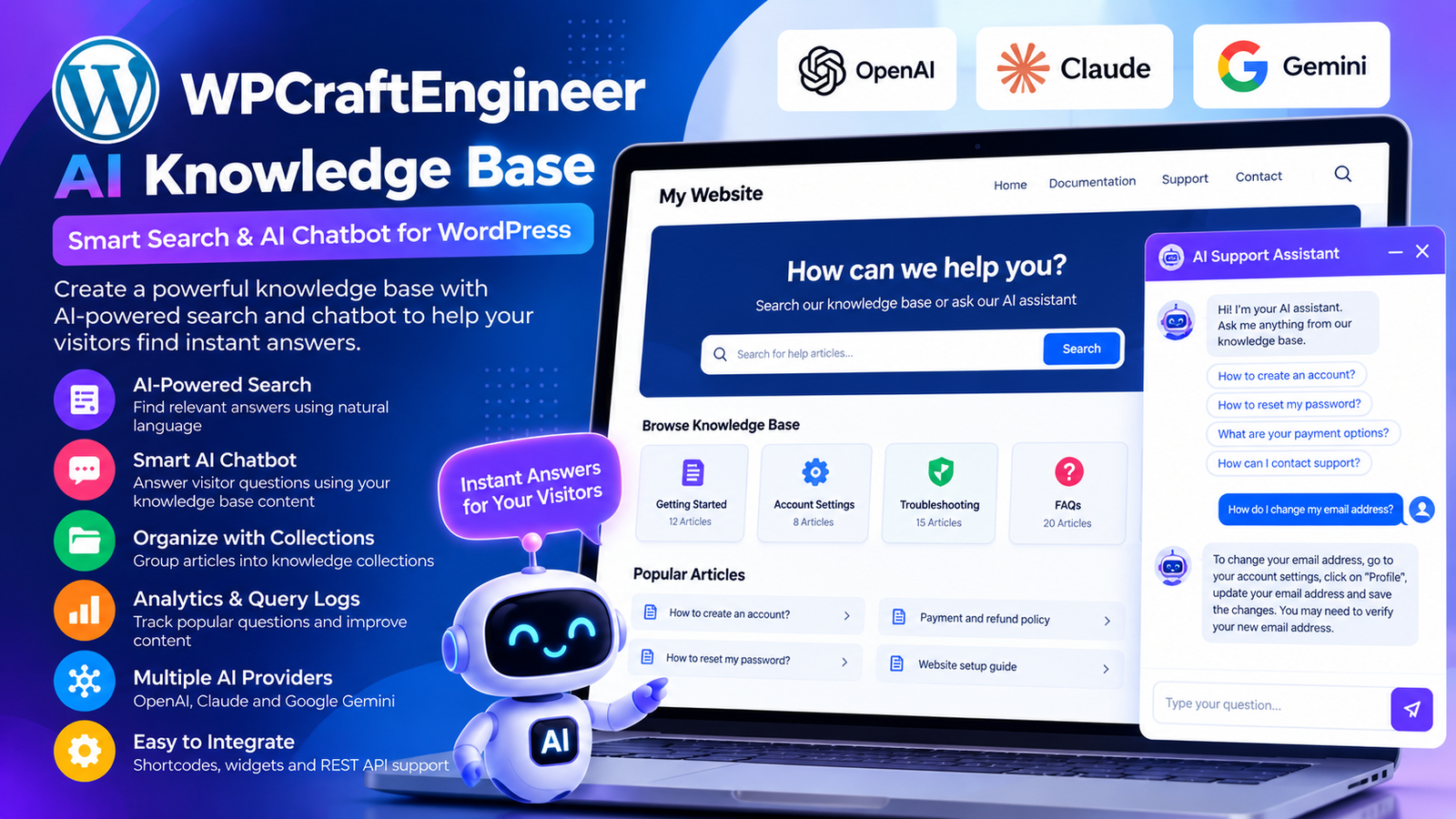
Providing helpful information to website visitors is an important part of building a successful online presence. Whether you operate a business website, online store, educational platform, or customer support portal, visitors expect to find accurate answers quickly.
Traditional FAQ pages and help documentation can provide valuable information, but they often require visitors to search through multiple articles before finding what they need.
What if your WordPress website could offer a more conversational way to explore its support information?
WPCraftEngineer AI Knowledge Base introduces an AI-powered approach to WordPress knowledge management, combining searchable support content with intelligent chat functionality.
Developed by WP Craft Engineer, this plugin allows website administrators to create structured knowledge base entries and provide visitors with AI-powered search and chat interfaces.
In this article, we’ll explore how WPCraftEngineer AI Knowledge Base works, its features, supported AI providers, and how it can help businesses create a more accessible support experience.
What Is WPCraftEngineer AI Knowledge Base?
WPCraftEngineer AI Knowledge Base is a WordPress plugin that allows website owners to create and manage a searchable collection of support information.
Instead of relying entirely on traditional keyword searches, the plugin uses artificial intelligence to help visitors find relevant answers using natural language.
It combines several useful capabilities:
- AI-powered knowledge base search.
- Frontend support chatbot.
- Admin-managed knowledge base entries.
- Knowledge collections for organizing information.
- Support for OpenAI, Anthropic Claude, and Google Gemini.
- Optional query logging and basic analytics.
- WordPress shortcode integration.
- Sidebar widget support.
- REST API endpoints for developers.
Knowledge base content is stored in the WordPress database, giving administrators a central place to manage support information.
When a visitor submits a question, the plugin can send the question and relevant knowledge base content to the configured AI provider to generate a response.
This approach helps connect conversational AI with information managed by the website owner.
Why Your WordPress Website Needs an AI Knowledge Base
As websites grow, managing information becomes increasingly challenging.
A small business may initially have only a few FAQ pages. Over time, it might publish product documentation, support guides, policies, tutorials, and troubleshooting resources.
Visitors may struggle to locate the right answer when information is spread across numerous pages.
An AI knowledge base can provide a more convenient way to access this information.
1. Help Visitors Find Answers Faster
Traditional search systems often depend on specific keywords.
For example, a visitor might search for “refund policy,” while the relevant knowledge base entry is titled “Returns and Cancellations.”
Natural language search allows visitors to ask questions in their own words.
Instead of matching only exact phrases, an AI-powered system can use the relevant knowledge base content to generate a useful response.
2. Provide a Conversational Support Experience
Not every visitor wants to read a lengthy support article.
Some prefer asking a question and receiving a concise explanation.
An AI chatbot can provide this conversational interface, making support information more approachable.
3. Organize Support Information in One Place
Managing knowledge base entries directly in WordPress helps administrators maintain a centralized source of information.
Businesses can create entries for common questions, product instructions, troubleshooting steps, and other support topics.
4. Reduce Repetitive Support Enquiries
Businesses often receive similar questions about services, policies, or product usage.
Making relevant information easier to discover may reduce the number of basic enquiries that require manual responses.
However, complex or account-specific questions may still need human support.
5. Support a Better Website Experience
Visitors appreciate clear and accessible information.
Providing search and chat options gives users more flexibility in how they explore your website’s support resources.
Key Features of WPCraftEngineer AI Knowledge Base
1. Natural Language Knowledge Base Search
One of the plugin’s central features is AI-powered knowledge base search.
Visitors can enter questions using ordinary language instead of relying on exact search terms.
For example, a customer might ask:
“How can I change my appointment?”
If the knowledge base contains relevant appointment management instructions, the plugin can use that information to help generate a response.
This is particularly useful for websites with extensive support documentation.
Natural language search can make technical or complex information easier to access.
2. AI-Powered Frontend Chatbot
WPCraftEngineer AI Knowledge Base includes a frontend chatbot that can answer questions using saved knowledge base entries.
Unlike a general-purpose chatbot that responds without a website-specific information source, this plugin is designed to use relevant content from the site’s knowledge base.
For example, a visitor might ask:
“Do you provide international shipping?”
If the administrator has added the relevant shipping information, the chatbot can use that content to formulate an answer.
The chatbot provides an additional way for visitors to interact with support information.
AI-generated answers should still be tested and reviewed because language models can occasionally produce inaccurate responses.
3. Support for Multiple AI Providers
Different website owners have different preferences when choosing an AI service.
WPCraftEngineer AI Knowledge Base supports three major AI providers.
OpenAI
OpenAI provides language models that can generate conversational responses and help interpret natural language questions.
Anthropic Claude
Claude offers language model capabilities for processing questions and generating responses based on supplied information.
Google Gemini
Google Gemini provides another option for AI-powered search and conversational functionality.
Administrators can select their preferred provider from the plugin settings and configure the required API credentials.
This flexibility allows website owners to choose a provider based on their requirements, pricing, and preferred AI models.
4. Admin-Managed Knowledge Base Entries
A reliable support experience depends on having useful source information.
WPCraftEngineer AI Knowledge Base allows administrators to create and manage knowledge base entries directly in WordPress.
These entries can contain information such as:
- Frequently asked questions.
- Product instructions.
- Service information.
- Troubleshooting guides.
- Customer support policies.
- Technical documentation.
- Internal process explanations intended for publication.
For example, an online store could create knowledge base entries explaining shipping methods, returns, product care, and ordering procedures.
Keeping this information organized makes it easier to maintain a consistent support resource.
5. Knowledge Collections
Not all support information belongs in the same category.
A website may have separate documentation for customers, employees, technical users, or different product lines.
WPCraftEngineer AI Knowledge Base includes knowledge collections to help organize entries.
For example, a business might create collections such as:
Customer Support
Information about ordering, payments, returns, and account management.
Product Documentation
Guides explaining product features and usage.
Technical Support
Troubleshooting instructions and common technical questions.
HR Policies
Employee-related guidance and internal policy documentation, where access controls are appropriately implemented.
Collections can also be used to filter individual frontend widgets.
This allows administrators to create more focused support interfaces for different website sections.
6. Search and Chat Shortcodes
WPCraftEngineer AI Knowledge Base includes several shortcodes for displaying its functionality on WordPress pages.
Full Knowledge Base Widget
Display search and chat together:
[wpcfe_aikb]
Full Widget for a Specific Collection
[wpcfe_aikb collection="HR Policies"]
Chat-Only Widget
[wpcfe_aikb_chat]
Chat Widget for a Specific Collection
[wpcfe_aikb_chat collection="Support FAQs"]
Search-Only Widget
[wpcfe_aikb_search]
These shortcodes make it possible to place different support interfaces on relevant WordPress pages.
For example, a business could display the full widget on a help center page and a chat-only widget on a support landing page.
7. WordPress Sidebar Widget Support
In addition to shortcodes, the plugin supports sidebar widgets.
This provides another placement option for websites using widget-compatible themes.
A sidebar knowledge base interface can be useful on documentation pages or support sections where visitors may want assistance while browsing.
8. Basic Analytics
Understanding what visitors ask can help businesses improve their support documentation.
WPCraftEngineer AI Knowledge Base includes basic analytics functionality.
Website administrators can use available information to better understand how visitors interact with the knowledge base.
For example, recurring questions about a particular feature may suggest that its documentation needs improvement.
Analytics can support more informed decisions about future support content.
9. Optional Query Logging
The plugin supports optional query logging in the WordPress database.
When enabled, the logging system stores information such as:
- Visitor query text.
- Generated response text.
- Detected language.
- Timestamp.
This can help administrators review common questions and identify opportunities to improve knowledge base entries.
Query logging is optional, allowing website owners to decide whether retaining this information is appropriate for their needs.
Because submitted questions may contain personal information, administrators should consider privacy, retention, and access requirements before enabling logging.
10. REST API Support
WPCraftEngineer AI Knowledge Base provides REST API endpoints under:
/wp-json/wpcfe-aikb/v1/
This functionality can be useful for developers building custom WordPress integrations.
REST API availability provides additional flexibility for projects that need to interact with supported plugin functionality programmatically.
Developers should consult the plugin’s implementation and available endpoint documentation before building integrations.
How WPCraftEngineer AI Knowledge Base Works
The plugin follows a structured workflow that connects WordPress knowledge content with an external AI provider.
Step 1: Create Knowledge Base Entries
Administrators add relevant support information through the WordPress dashboard.
Step 2: Organize Entries into Collections
Knowledge base entries can be grouped into collections for better organization.
Step 3: Configure an AI Provider
The administrator selects OpenAI, Anthropic Claude, or Google Gemini and enters the appropriate API key.
Step 4: Add a Frontend Widget
A shortcode or supported sidebar widget is added to the website.
Step 5: A Visitor Submits a Question
The visitor enters a natural language question using the search or chat interface.
Step 6: Relevant Content Is Processed
The plugin identifies relevant knowledge base information and sends the question and supporting content to the configured AI provider.
Step 7: The Visitor Receives a Response
The AI provider generates a response based on the submitted context.
Step 8: Optional Query Logging
If enabled, the plugin stores supported query and response information for analytics.
This workflow helps connect website-specific support information with conversational AI capabilities.
Practical Example: AI Knowledge Base for a WooCommerce Store
Imagine an online electronics store receiving customer questions every day.
Common enquiries include:
- How long does shipping take?
- Can I return a damaged product?
- What payment methods are accepted?
- How can I request warranty assistance?
- Where can I find product setup instructions?
Traditionally, customers might need to browse multiple pages or contact the support team.
With WPCraftEngineer AI Knowledge Base, the store owner can create knowledge base entries covering these topics.
The administrator could organize them into collections such as:
Shipping and Delivery
Information about delivery methods, shipping timeframes, and available regions.
Returns and Refunds
Instructions about return eligibility and refund procedures.
Product Support
Setup guides, troubleshooting instructions, and product care information.
Payments and Orders
General information about supported payment methods and ordering procedures.
A customer could then ask:
“How do I return a product that arrived damaged?”
The chatbot can use relevant knowledge base content to generate an answer explaining the store’s documented return procedure.
This helps customers access support information without manually navigating several pages.
Who Should Use WPCraftEngineer AI Knowledge Base?
WooCommerce Stores
Online retailers can organize product information, shipping policies, returns, and frequently asked questions.
SaaS and Software Businesses
Software companies can create documentation covering product features, setup instructions, and troubleshooting.
Educational Websites
Educational organizations can provide searchable information about courses, enrollment, learning resources, and general policies.
Business and Corporate Websites
Businesses can organize service information, support documentation, and commonly requested guidance.
WordPress Development Agencies
Agencies can create support resources for clients who need help understanding website functionality or maintenance processes.
Membership Websites
Membership platforms can organize information about registration, subscriptions, account settings, and general member support.
Technical Documentation Portals
Developers and technical teams can create searchable documentation for supported tools, processes, and products.
AI Knowledge Base vs. Traditional FAQ Pages
| Feature | Traditional FAQ Pages | WPCraftEngineer AI Knowledge Base |
|---|---|---|
| Search experience | Keyword or manual browsing | Natural language AI search |
| Visitor interaction | Read static answers | Ask conversational questions |
| Content management | WordPress pages or posts | Dedicated knowledge base entries |
| Content organization | Categories or page hierarchy | Knowledge collections |
| AI integration | Not built in | OpenAI, Claude, Gemini |
| Chat functionality | Requires another solution | Built-in chat widget |
| Analytics | Usually separate tools | Basic analytics |
| Query history | Requires additional setup | Optional query logging |
| Integration | Standard WordPress links | Shortcodes, widgets, REST API |
A traditional FAQ page can still be useful.
The AI knowledge base provides an additional way to make that information accessible through search and conversation.
How to Install WPCraftEngineer AI Knowledge Base
Getting started is straightforward.
Step 1: Install the Plugin
Log in to your WordPress dashboard.
Navigate to:
Plugins → Add New Plugin
Search for “WPCraftEngineer AI Knowledge Base.”
Install and activate the plugin.
Alternatively, download the plugin ZIP file from the official WordPress Plugin Directory.
Step 2: Open Plugin Settings
Navigate to:
WPCraftEngineer AI Knowledge Base → Settings
Step 3: Select an AI Provider
Choose one of the supported providers:
- OpenAI.
- Anthropic Claude.
- Google Gemini.
Step 4: Enter Your API Key
Add the API key associated with your selected provider.
External AI services may charge for API usage according to their pricing policies.
Step 5: Add Knowledge Base Entries
Create support articles, FAQs, or other relevant information.
Step 6: Organize Collections
Group related entries into appropriate knowledge collections.
Step 7: Create a Support Page
Create a WordPress page such as “Help Center” or “Knowledge Base.”
Step 8: Insert the Shortcode
Add:
[wpcfe_aikb]
Step 9: Publish the Page
Publish your support page and review the frontend interface.
Step 10: Test the AI Responses
Submit questions based on your knowledge base entries.
Check that responses are accurate, useful, and consistent with your published information.
Privacy and Data Security Considerations
When using an AI-powered support plugin, understanding how information is processed is important.
WPCraftEngineer AI Knowledge Base stores knowledge base entries in the WordPress database.
When an AI-powered feature is used, the plugin sends relevant information to the selected external AI provider.
Depending on the configured provider and feature, this may include:
- Visitor questions.
- Relevant knowledge base content.
- Conversation history.
- Test prompts.
- Selected AI model information.
The plugin does not make third-party AI requests unless an administrator has configured an API key and a feature requiring the selected provider is used.
Optional query logging can store questions and generated responses in the WordPress database.
Website owners should review their privacy policies, data retention practices, and applicable legal obligations before enabling AI features.
Sensitive or confidential information should not be included in publicly accessible knowledge base content without appropriate safeguards.
Best Practices for Building an Effective AI Knowledge Base
Create Accurate Knowledge Base Entries
AI-generated responses depend heavily on the quality of the information provided.
Make sure your entries contain accurate and current details.
Organize Information into Clear Collections
Use collections to group related topics and create more focused support experiences.
Keep Answers Easy to Understand
Write documentation in straightforward language so visitors can understand the information easily.
Test Common Customer Questions
Before launching the chatbot, test realistic questions that visitors are likely to ask.
Review Provider Costs
Monitor API usage and understand the billing arrangements of your selected AI provider.
Use Query Logging Responsibly
Enable logging only when appropriate and implement suitable privacy controls.
Update Documentation Regularly
Review knowledge base entries whenever services, products, or policies change.
Provide Human Support When Needed
An AI chatbot can help answer routine questions, but complex issues may still require assistance from a person.
Frequently Asked Questions
What is WPCraftEngineer AI Knowledge Base?
It is a WordPress plugin that provides AI-powered knowledge base search and chat functionality using administrator-managed knowledge entries.
Which AI providers are supported?
The plugin supports OpenAI, Anthropic Claude, and Google Gemini.
Does the plugin require an API key?
Yes. You need an API key for the AI provider you choose.
Can I create multiple knowledge collections?
Yes. The plugin supports collections for organizing knowledge base entries.
Can I display only the chatbot?
Yes. Use:
[wpcfe_aikb_chat]
Can I display only the search interface?
Yes. Use:
[wpcfe_aikb_search]
Can I restrict a chatbot to a particular collection?
Yes. For example:
[wpcfe_aikb_chat collection="Support FAQs"]
Does the plugin store conversations?
Query and response information is stored only when optional query logging is enabled.
Where is the knowledge base content stored?
Knowledge base entries are stored in the WordPress database.
Does the plugin support WordPress sidebar widgets?
Yes. Sidebar widget support is included.
Is there a REST API?
Yes. The plugin provides endpoints under:
/wp-json/wpcfe-aikb/v1/
Does the plugin automatically learn from every website page?
The documented workflow uses knowledge base entries managed by administrators. Automatic indexing of every website page is not listed as a supported feature.
What are the minimum requirements?
The plugin requires WordPress 6.0 or newer and PHP 8.0 or newer.
Why Choose WPCraftEngineer AI Knowledge Base?
Many website owners want to improve customer support without creating a completely custom AI system.
WPCraftEngineer AI Knowledge Base combines several useful capabilities into one WordPress plugin.
Its main advantages include:
- Natural language knowledge base search.
- AI-powered support chatbot.
- WordPress-based knowledge management.
- Organized knowledge collections.
- OpenAI, Claude, and Gemini compatibility.
- Shortcode and sidebar widget support.
- Basic analytics.
- Optional query logging.
- REST API functionality.
- Flexible placement across WordPress pages.
These features make it a practical option for websites that want to offer more accessible support information.
Final Thoughts
A well-organized knowledge base is a valuable resource for any business website.
However, making that information easy to find is equally important.
WPCraftEngineer AI Knowledge Base combines structured WordPress documentation with AI-powered search and conversational chat functionality.
By allowing visitors to ask questions in natural language and receive responses based on relevant knowledge base entries, the plugin offers a more interactive approach to website support.
Its support for multiple AI providers, knowledge collections, shortcodes, analytics, and optional query logging makes it suitable for a variety of WordPress projects.
Whether you manage an online store, software website, educational platform, or business support portal, WPCraftEngineer AI Knowledge Base can help make your support content more accessible.
Ready to create a smarter support experience for your WordPress website?
Explore WPCraftEngineer AI Knowledge Base and start building an AI-powered help center using your own knowledge base content.
Download Plugin: https://wordpress.org/plugins/wpcraftengineer-ai-knowledge-base/
Developed By: WP Craft Engineer